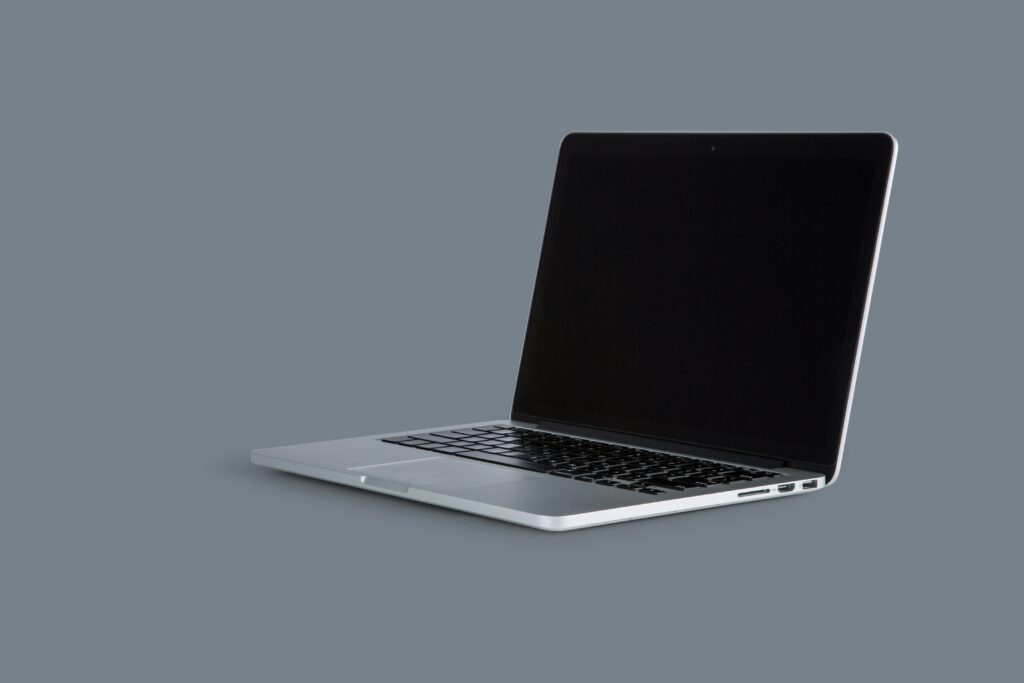
Who These Laptops Are Really For
Not everyone needs a thousand dollar machine. For a lot of people, spending under $700 is the line and the good news is, it’s enough to get a capable, no nonsense laptop that does what it needs to.
Students need something solid that won’t lag halfway through a Zoom lecture or crash with three research tabs open. The right device here is reliable, boots fast, and handles Google Docs, web browsing, and video calls without sweating. Battery life matters too it should last through back to back classes without a charger hunt.
Remote workers sit in a different zone. They need laptops that balance performance and portability light enough to take to a coffee shop, strong enough to run spreadsheets, docs, project tools, and the occasional video call without glitching out. A decent keyboard and screen are musts, too this is your office now.
Then there are casual gamers or creators who want to edit videos, stream, or do a little light design work without setting their wallets on fire. No, you won’t get a gaming rig or a studio grade laptop at this price, but some models pack enough muscle especially with Ryzen 5 or Intel i5 chips to handle entry level tasks and still feel smooth.
In all these cases, sub $700 laptops can punch above their weight if you pick wisely. It’s not about flashy specs it’s about the right balance for what you actually need.
Core Specs That Matter Most Under $700

At this price point, every dollar needs to work harder. Start with the processor. AMD Ryzen 5 and Intel Core i5 chips are your best bets. They offer reliable multi tasking and won’t choke if you’ve got ten tabs open, Spotify running, and a Zoom call in the background. Avoid anything lower; older gen chips or Celeron level CPUs will age fast and badly.
On memory and storage, don’t settle for less than 8GB of RAM and a 256GB SSD. That’s your line in the sand. Anything below and you’re signing up for lag and painfully slow boot times. SSD over HDD is non negotiable it’s the difference between waiting seconds vs. minutes.
Build quality? Overlook it, and you’ll feel the regret every time you lift the laptop lid. Go for sturdy material metal or reinforced plastic with minimal flex. Ultra light, all plastic builds might trim weight and cost, but they don’t hold up to daily wear.
Want to compare real world spec sheets before buying? Dive into the details at Etherions tech comparisons.
Acer Aspire 5: Best Overall
If you want something that just works without lighting your wallet on fire the Acer Aspire 5 stands its ground. With an AMD Ryzen 5 chip, 8GB of RAM, and a swift 512GB SSD, it handles multitasking like a champ. This isn’t a machine for high end gaming or heavy video rendering, but it’ll take care of office work, media editing, and daily browsing without flinching.
The 15.6 inch Full HD display gives you solid screen real estate and decent sharpness, and the backlit keyboard is a thoughtful touch, especially if you do your best work at night. It’s not flashy, but it doesn’t need to be. The Aspire 5 is about value pragmatic performance wrapped in a no nonsense chassis. If you’re looking for all around competence at a sub $700 price point, this one deserves top billing.
Tradeoffs You Need to Expect
Let’s be clear: laptops under $700 come packed with value, but they also come with compromises. First, the screens. Expect adequate resolution usually Full HD but don’t count on high brightness or spot on color accuracy. If you’re editing photos or videos, you’ll notice. For Netflix and docs? You’ll be fine.
Battery life is another wildcard. Some models give you five hours. Others push ten. It’s all over the place, and marketing specs don’t always match real world use. Do yourself a favor and dig into verified user reviews or performance tests before pulling the trigger.
Graphics? Manage your expectations. Integrated GPUs like Intel Iris Xe or AMD Radeon Vega are okay for light gaming and video work, but they’ll choke on anything with “AAA” in the title. If your downtime involves indie games or light rendering, you’re good. Want to run Cyberpunk 2077? Look elsewhere.
Bottom line: budget laptops can get the job done but know what you’re trading for the lower price tag.
Tips for Getting the Best Deal
Getting a solid laptop under $700 isn’t just about specs it’s about timing. Back to school and holiday sales are prime territory for snagging high value machines at lower prices. Retailers often drop prices on models that are perfectly capable for daily work, study, or casual use, just to move inventory quickly.
Refurbished units are another smart route, especially when they’re certified by the manufacturer or a trusted reseller. Many offer warranties and go through strict quality checks. You’re essentially getting a near new device for a chunk off the sticker price.
Don’t ignore last year’s models, either. These are often packed with features that still beat current budget devices, especially in terms of build or display it’s just that they’re no longer the latest release. Tech evolves fast, but not every update is essential.
For detailed comparisons and spec matchups, check out Etherions tech comparisons to make the smartest buy possible.
 There is a specific skill involved in explaining something clearly — one that is completely separate from actually knowing the subject. Jexor Veythorne has both. They has spent years working with latest technology news in a hands-on capacity, and an equal amount of time figuring out how to translate that experience into writing that people with different backgrounds can actually absorb and use.
Jexor tends to approach complex subjects — Latest Technology News, Software Development Insights, Emerging Technology Trends being good examples — by starting with what the reader already knows, then building outward from there rather than dropping them in the deep end. It sounds like a small thing. In practice it makes a significant difference in whether someone finishes the article or abandons it halfway through. They is also good at knowing when to stop — a surprisingly underrated skill. Some writers bury useful information under so many caveats and qualifications that the point disappears. Jexor knows where the point is and gets there without too many detours.
The practical effect of all this is that people who read Jexor's work tend to come away actually capable of doing something with it. Not just vaguely informed — actually capable. For a writer working in latest technology news, that is probably the best possible outcome, and it's the standard Jexor holds they's own work to.
There is a specific skill involved in explaining something clearly — one that is completely separate from actually knowing the subject. Jexor Veythorne has both. They has spent years working with latest technology news in a hands-on capacity, and an equal amount of time figuring out how to translate that experience into writing that people with different backgrounds can actually absorb and use.
Jexor tends to approach complex subjects — Latest Technology News, Software Development Insights, Emerging Technology Trends being good examples — by starting with what the reader already knows, then building outward from there rather than dropping them in the deep end. It sounds like a small thing. In practice it makes a significant difference in whether someone finishes the article or abandons it halfway through. They is also good at knowing when to stop — a surprisingly underrated skill. Some writers bury useful information under so many caveats and qualifications that the point disappears. Jexor knows where the point is and gets there without too many detours.
The practical effect of all this is that people who read Jexor's work tend to come away actually capable of doing something with it. Not just vaguely informed — actually capable. For a writer working in latest technology news, that is probably the best possible outcome, and it's the standard Jexor holds they's own work to.